iLovePDF vs Smallpdf vs PureFileConverter — Which Free Converter Is Best?
Side-by-side comparison of the three most popular free file converters. We tested speed, quality, limits, privacy and ease of use so you can pick the right one.
If you search for a free file converter online, three names keep coming up: iLovePDF, Smallpdf, and now PureFileConverter. They all convert files for free, but the differences in what you actually get without paying are significant. We put all three head-to-head so you can choose the right one for your needs.
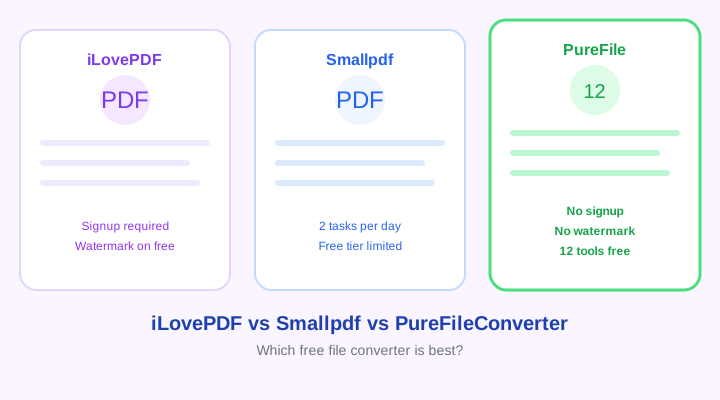
Feature comparison of iLovePDF, Smallpdf, and PureFileConverter
Free Tier Limits
iLovePDF limits you to a certain number of tasks per day on the free plan. Smallpdf limits you to 2 tasks per day — after that, you are locked out until the next day. PureFileConverter has no daily task limit at all — you can convert as many files as you want, with a fair-use rate limit of 20 conversions per 10 minutes per IP to prevent abuse.
Signup Required?
iLovePDF requires you to create an account for some tools. Smallpdf pushes you to sign up after your 2 free daily tasks. PureFileConverter never asks for your email, account, or any personal information. You upload, convert, and download — that's it.
Watermarks
Smallpdf adds a small watermark to some converted files on the free plan. iLovePDF does not watermark most tools but locks some behind the paid plan. PureFileConverter adds zero watermarks to any output, ever. Your converted file is clean and identical to what a paid tool would produce.
File Size Limits
iLovePDF free allows files up to 10 MB for most tools. Smallpdf free allows 5 MB. PureFileConverter allows up to 10 MB per file — matching iLovePDF and doubling Smallpdf's free limit.
Privacy and File Deletion
iLovePDF states that files are deleted after a certain period but does not specify exactly when. Smallpdf deletes files after 2 hours. PureFileConverter deletes all uploaded and converted files after 1 hour — or immediately after you download the result. Your files are never stored permanently, shared, or sold.
Number of Tools
iLovePDF focuses exclusively on PDF tools — it does not handle image, audio, or video conversion. Smallpdf similarly focuses on PDF and a few document formats. PureFileConverter offers 12 tools across three categories: documents (PDF, Word, Excel, CSV), images (JPG, PNG, WebP, resize, compress), and media (MP4, MP3, WAV, AVI). If you need more than just PDF, PureFileConverter covers more ground.
Ads and User Experience
iLovePDF has a clean UI but shows banner ads on the free tier. Smallpdf has a polished interface but heavily promotes its paid plan with upgrade prompts after every action. PureFileConverter has a clean, ad-free interface with no upsell prompts — the tool is the focus, not a paywall.
Summary Comparison Table
- iLovePDF — Best for PDF-only tasks. Limited free tier. Some tools require paid plan. No image/media tools.
- Smallpdf — Cleanest UI. But only 2 free tasks per day and 5 MB limit. Watermarks on some free outputs.
- PureFileConverter — 12 tools, no signup, no watermark, no daily limit, 10 MB files, auto-delete after 1 hour. Covers documents, images, AND media.
Adobe Acrobat Standard — Best Desktop PDF Tool
The industry standard for PDF editing and conversion on desktop. Amazon affiliate link.
If you only need PDF tools, iLovePDF is great. If you want the broadest free coverage with no strings attached, PureFileConverter gives you more for less — which is nothing.